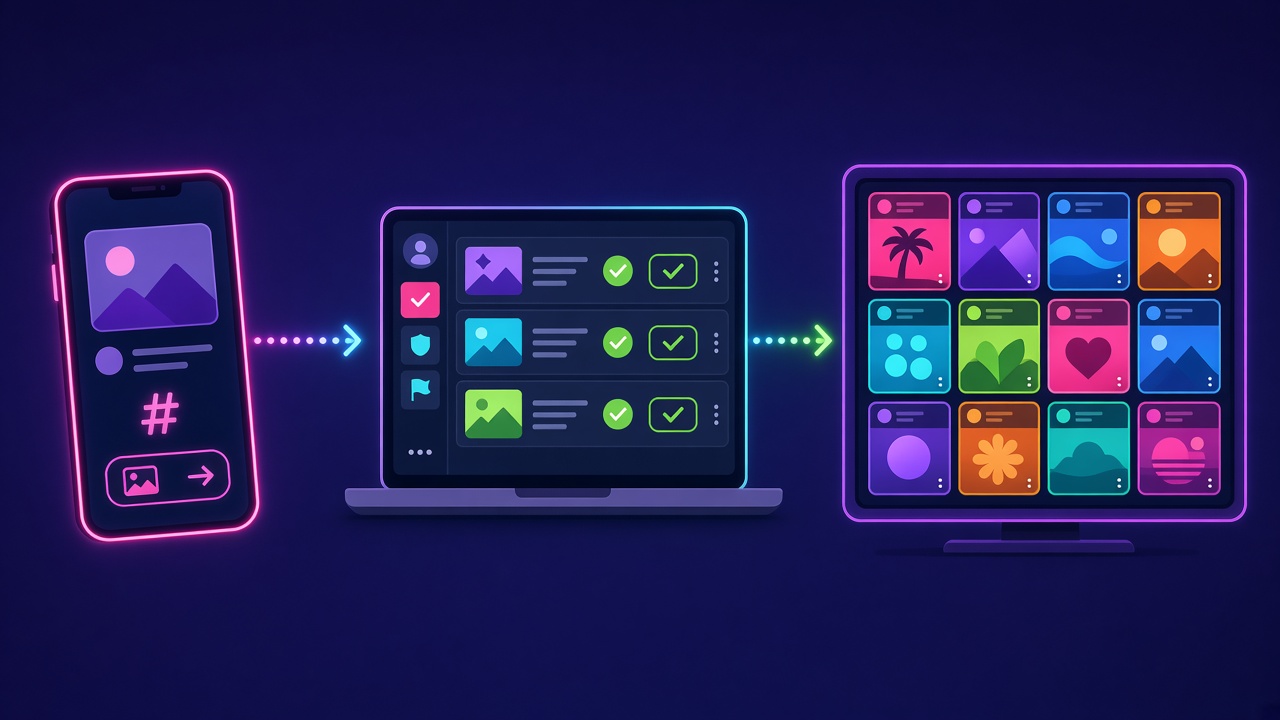
How It Works
Three simple steps from a guest’s phone to your big screen.
1. Guests post
Guests post photos on X with your event hashtag, or upload a photo straight from their phone on your guest upload page. Instagram support is coming soon.
2. You approve
New posts land in your moderation queue. Approve the good ones with one tap. Nothing goes on screen until it’s approved.
3. The wall goes live
Approved posts appear on your screen within seconds, in your colors with your logo and hashtag front and center.
What you’ll need
- A screen: any TV, projector or LED wall
- A device with a web browser connected to it, like a laptop, smart TV or streaming stick
- Internet access at the venue
- Your hashtag. We can help you pick a good one
Choose your look
- Grid: a tiled wall of posts with new ones sliding in
- Slideshow: one big post at a time, great for photos
- Ticker: a scrolling strip along the bottom of another display
Want us there?
Our hands-on option covers setup at the venue and live moderation throughout your event.